LowKey Phone

All the good stuff. None of the rest.

A first phone with calls, texts, a camera and the little things kids actually love. No browser, no app store, no social media. You pick every app. Pay once.

Build your phone About five minutes. You see the full list before you pay.
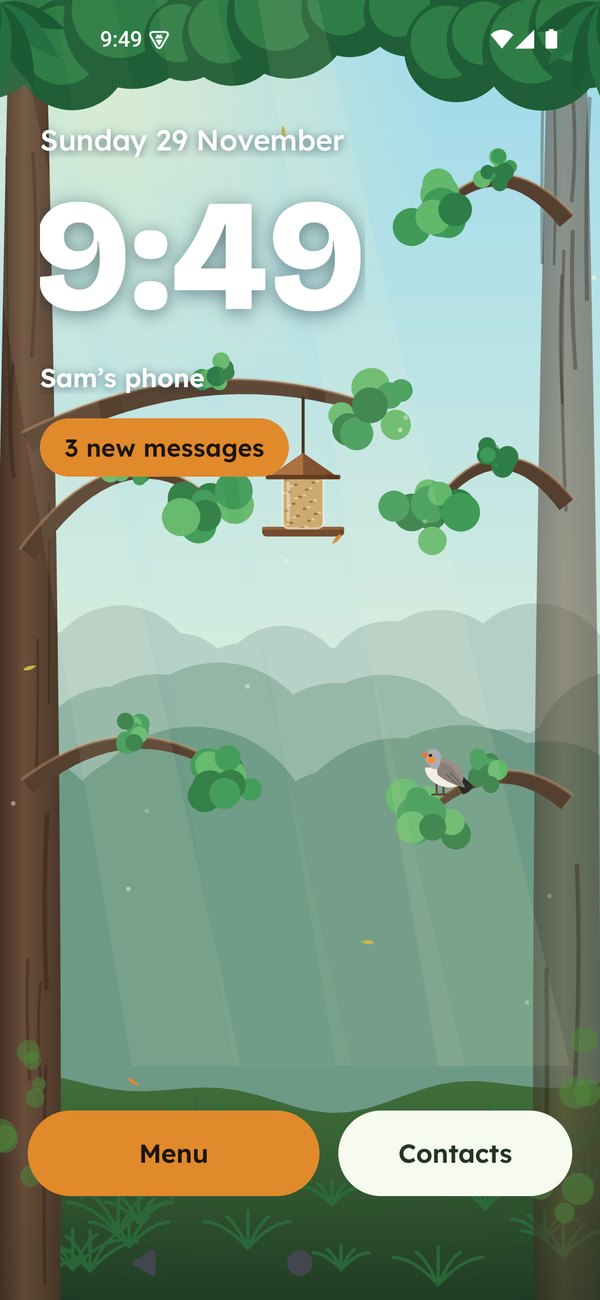
The home screen of Sam’s phone: a woodland scene with a small bird on a branch, a big clock, a note saying 3 new messages, and two buttons, Menu and Contacts.

You write the list

Every app on the phone is one you ticked. Your child can’t add another. You can, any time, with your PIN.

Made to be loved

A home screen that’s a little world, games that fill it up, and colours they choose. It feels like theirs, not like a locked-down gadget.

Pay once

No monthly fee, ever. $299 with the phone, or $49 if you set up a phone you already own.

What your child sees.

A big clock, a name on the screen, a few friendly icons. Nothing flashing, nothing asking for attention. These are real screenshots from the phone.

Home screen: a woodland world with a big clock and Sam’s phone written on it.
A home screen that feels like theirsTheir name, the time, a world to look at. Quiet, with a message count when someone texts.
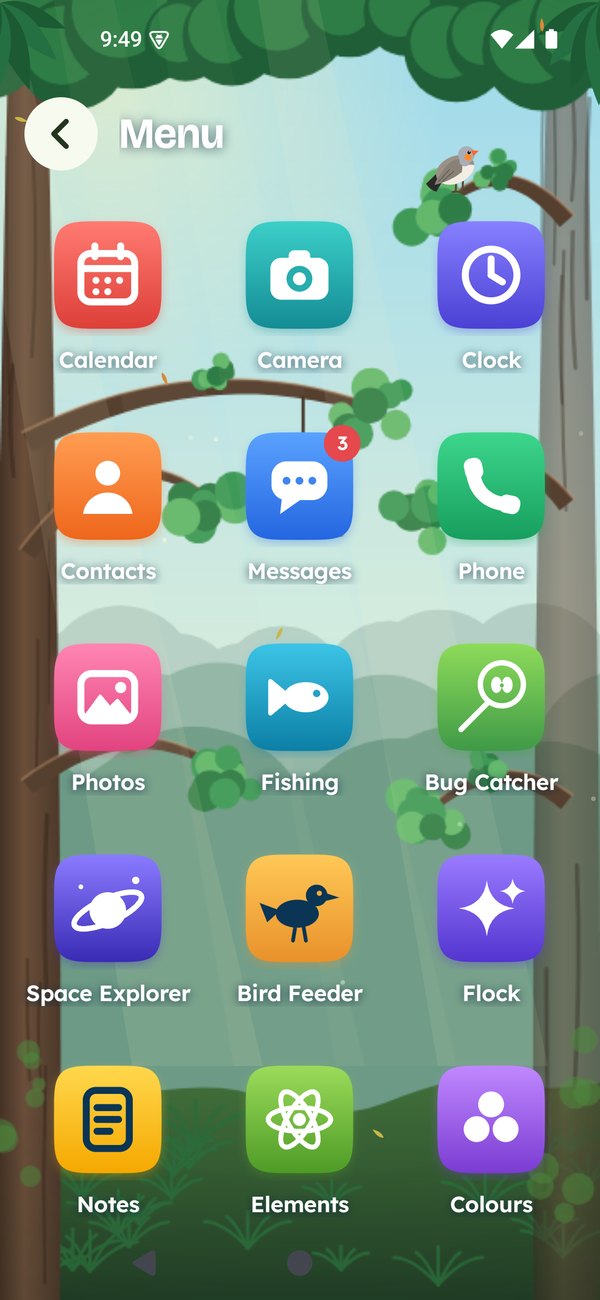
The menu: Calendar, Camera, Clock, Contacts, Messages, Phone, Photos, Fishing, Bug Catcher, Space Explorer, Bird Feeder, Notes, Elements and Colours, each a bright rounded icon.
Only what you choseBig, clear icons. If it isn’t on your list, it isn’t here and it can’t be found.
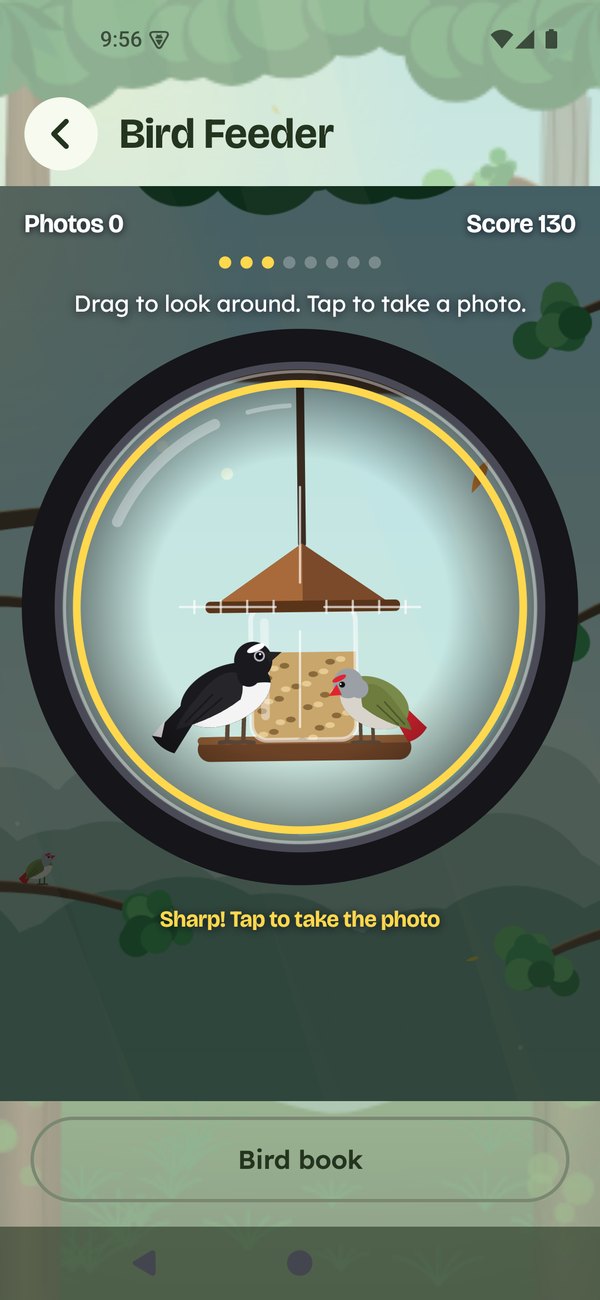
Bird Feeder: looking through binoculars at two small birds on a seed feeder, with the words Sharp, tap to take the photo.
Games that are calm, not noisyShort, gentle and finished in a few minutes. No ads, and nothing to buy inside them.

Little games that fill the home screen.

Play for a few minutes, collect something, and what you collect comes to life behind the icons. Fish swim by, bugs flutter, birds visit. They’re optional extras, so you choose which ones go on the phone.

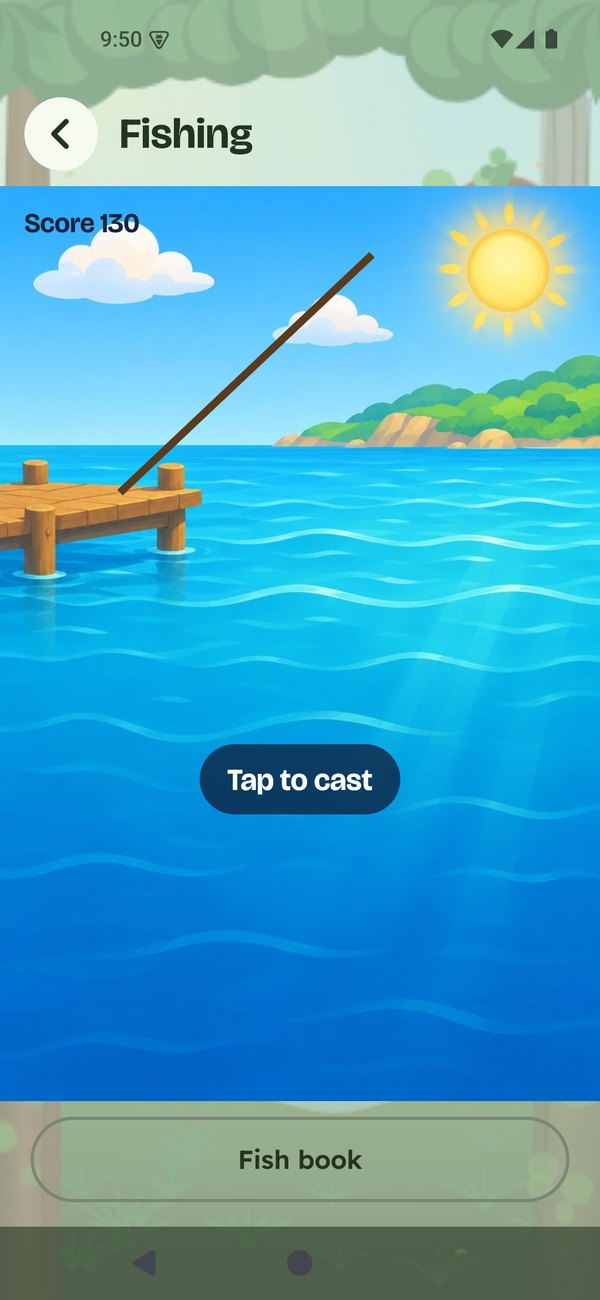
Fishing: a sunny jetty over blue water with a button saying Tap to cast.

Fishing

Catch 15 kinds of fish. Every catch swims into the reef on the home screen.

+$5
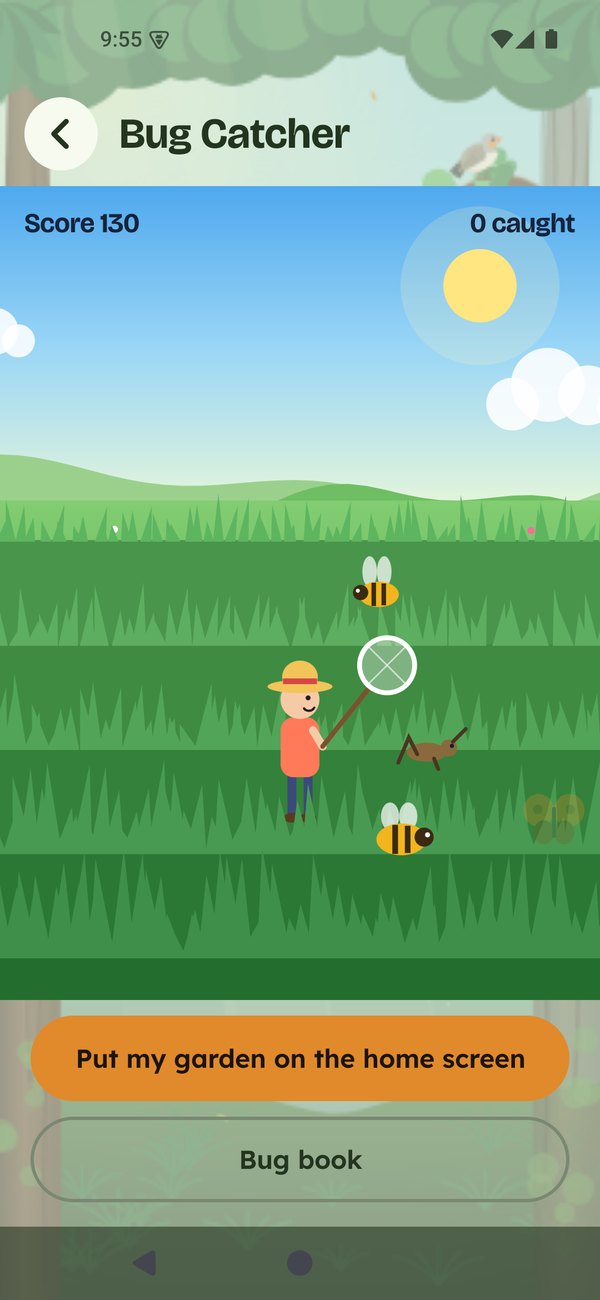
Bug Catcher: a child in a straw hat with a net in tall grass, with a bee, a cricket and a butterfly nearby.

Bug Catcher

Catch 16 butterflies and bugs. Each one plants a flower in the garden.

+$5
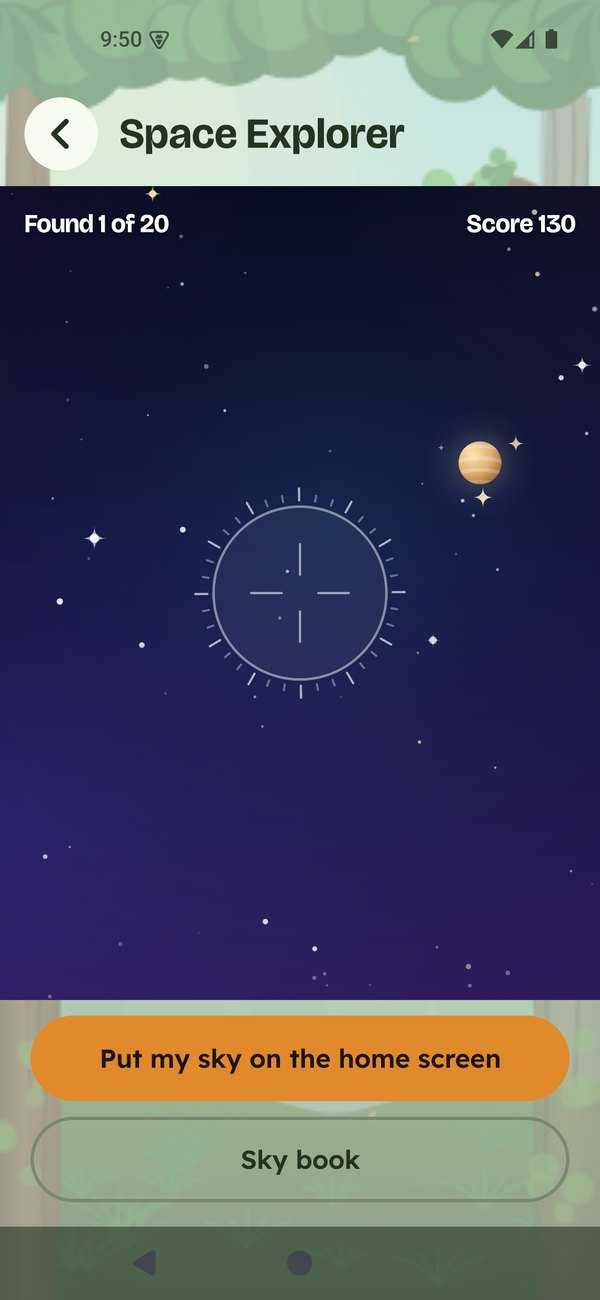
Space Explorer: a night sky with a telescope circle and a small ringed planet, and a counter saying Found 1 of 20.

Space Explorer

Find 20 planets, comets and constellations. The night sky fills up.

+$5
Bird Feeder: binoculars on a seed feeder with two small birds.

Bird Feeder

Photograph 15 Australian birds. Each one moves into the woodland.

+$5

Choose any, or take all four for $15. You pick them on the order form and the price adds up as you go. No ads and no purchases inside the games.

Pick your games

For parents: nothing gets in unless you say so.

It’s an ordinary Android phone with one change: the home screen is ours, and it only opens what you ticked. You set the rules once on the order form and can change them later on the phone with your PIN.

On the phone, if you tick it

  • Phone calls and MessagesTexts, picture messages and group messages. Always on, so you can reach them.
  • Contacts, Camera, PhotosPhotos stay on the phone. No cloud, no sharing.
  • Clock, Calendar, Calculator, Notes
  • Music playerPlays songs stored on the phone. No account.
  • Maps and weatherThese two use the internet. Leave them off if you’d rather not.
  • The gamesOptional extras, a few dollars each.

Not on any phone we set up

  • A web browser
  • An app store your child can open
  • Social media, YouTube and email
  • A Google account
  • Location tracking or message reading
  • A monthly fee

Who can reach them

  • Anyone, or approved numbers onlyCalls and texts each have their own switch. Texts from other numbers are held for you to read.
  • Website links in a text can’t be opened

When it goes quiet

  • Bedtime and school hoursThe menu is put away and only the Phone works, so calls still get through. You can wake it for 30 minutes.
  • A text to you if someone tampers with itFor example, three wrong tries at the PIN reset code.

Two ways to get one.

We post you a phone

$299once, phone included

A new Moto G06, set up to your list and tested. It arrives ready: put in a SIM and hand it over. Your PIN comes in a sealed envelope.

Build a posted phone

Set up a phone you already own

$49once

For an Android phone on our tested list. After you pay we send a setup program for your Windows or Mac computer. Plug the phone in and it does the rest in about fifteen minutes.

Build for my own phone

Games are extra on either option: $5 each, or $15 for all four. You see the running total on the order form before you pay.

  1. Build the list

    Start from a preset, then tick and untick. Add games, pick a colour theme and your family’s rules.

  2. Check it and pay once

    You see two columns, on the phone and not on the phone, before you pay.

  3. Hand it over

    The phone comes up locked to your list, with your child’s name on the home screen.

What it doesn’t do.

We’d rather you knew now than found out later.

  • It doesn’t track your child. No location, no reading their messages, no account holding their data. If you want tracking, a phone built around it will suit you better.
  • It isn’t unbreakable. The lock holds against the things a child will try, and it texts you if someone attempts to remove it. No phone lock is perfect, and we don’t promise this one is.
  • Apps you add still do what they do. If you add an app with its own chat or search, that comes with it. The order form marks every app that uses the internet.
  • Picture and group messages need mobile data switched on with your phone company, the same as on any phone.
  • It needs a SIM and a plan. We don’t sell those. Any Australian plan with calls and texts will do.

Questions parents ask.

Can I change the apps later?

Yes. Open For parents on the phone, enter your PIN, and add or remove apps yourself. There’s no fee and nothing to send back.

Do the games need the internet, or cost anything after I buy them?

No. They work without a connection and there’s nothing more to pay once you’ve bought them. They have no ads and no in-game purchases.

What if I forget the PIN?

You get a recovery code with the phone. Keep it somewhere your child won’t look.

Which phones can I set up myself?

Android phones running Android 12 or newer that are on our tested list. The order form asks for your model and tells you straight away. iPhones can’t be set up this way.

Can my child still call 000?

Yes. Emergency calls always work, including during bedtime and school hours.

What happens to the details I type in?

We use your child’s first name, your mobile and any approved numbers to set up that one phone, then delete them once you’ve confirmed it works. We don’t sell or share them.

Can I take it off again?

Yes. With your PIN you can switch the lock off and the phone goes back to being an ordinary Android phone.
Ready to build their first phone?

Five minutes, a list you control, and no monthly fee.

Build your phone